
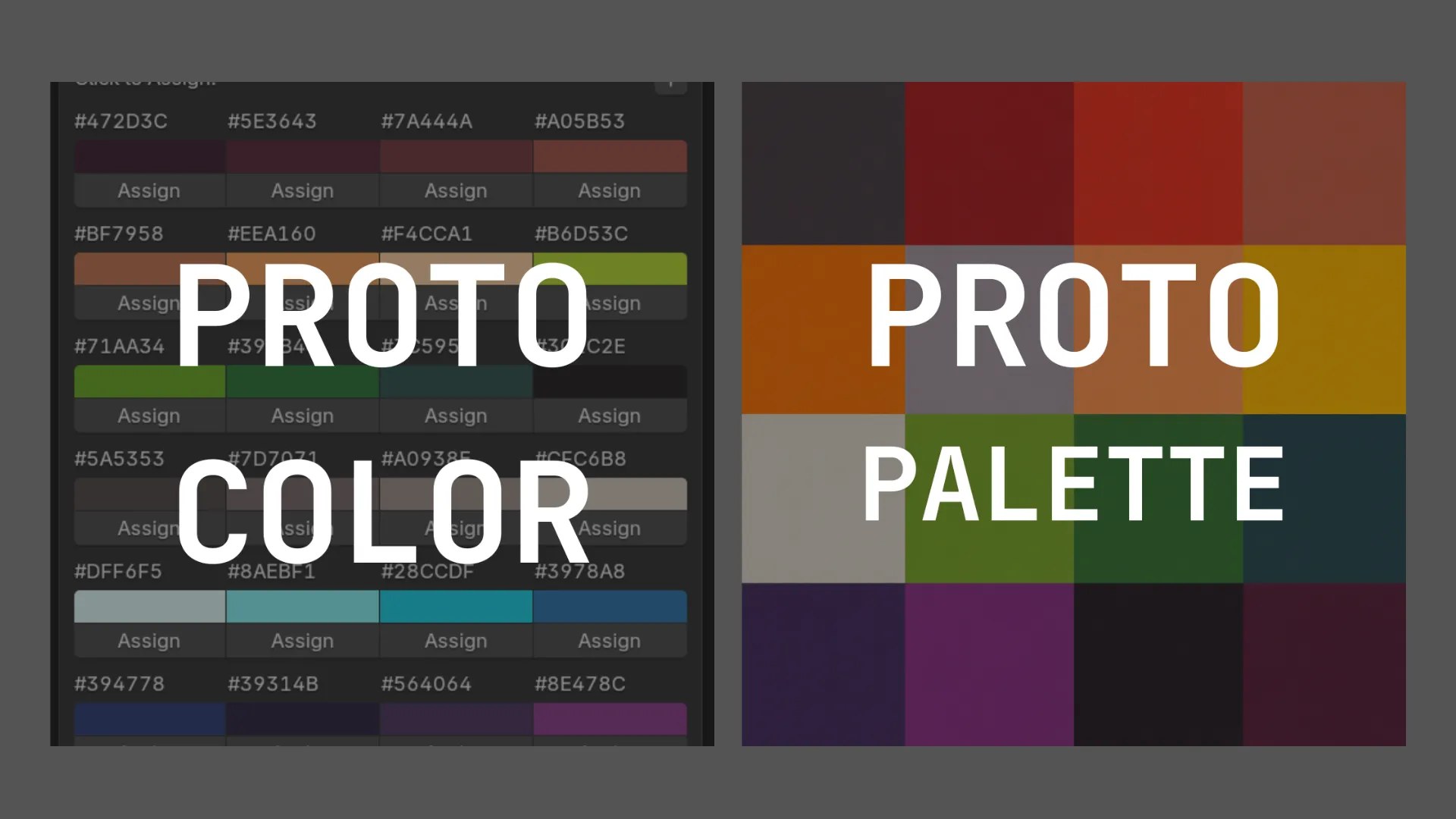
PROTOTOOLS is now available on ArtStation → https://www.artstation.com/marketplace/p/yRRDD/protocolor-proto-palette-a-blender-workflow-plugin?utm_source=artstation&utm_medium=referral&utm_campaign=homepage&utm_term=marketplace
PRODUCT: Commercial Blender Plugin
DEVELOPER: Trinh Nguyen
ROLE: PRODUCT DESIGNER 2026
PROTO:COLOR and PROTO:PALETTE were designed as two parts of the same workflow, not as separate Blender add-ons with unrelated features. One helps artists build and use a palette faster inside Blender. The other helps them consolidate that palette-driven scene into a cleaner, export-ready texture atlas without turning the process into a dead end.
This product ecosystem is built for level designers, stylized and low-poly artists, and small teams using color as a production tool.
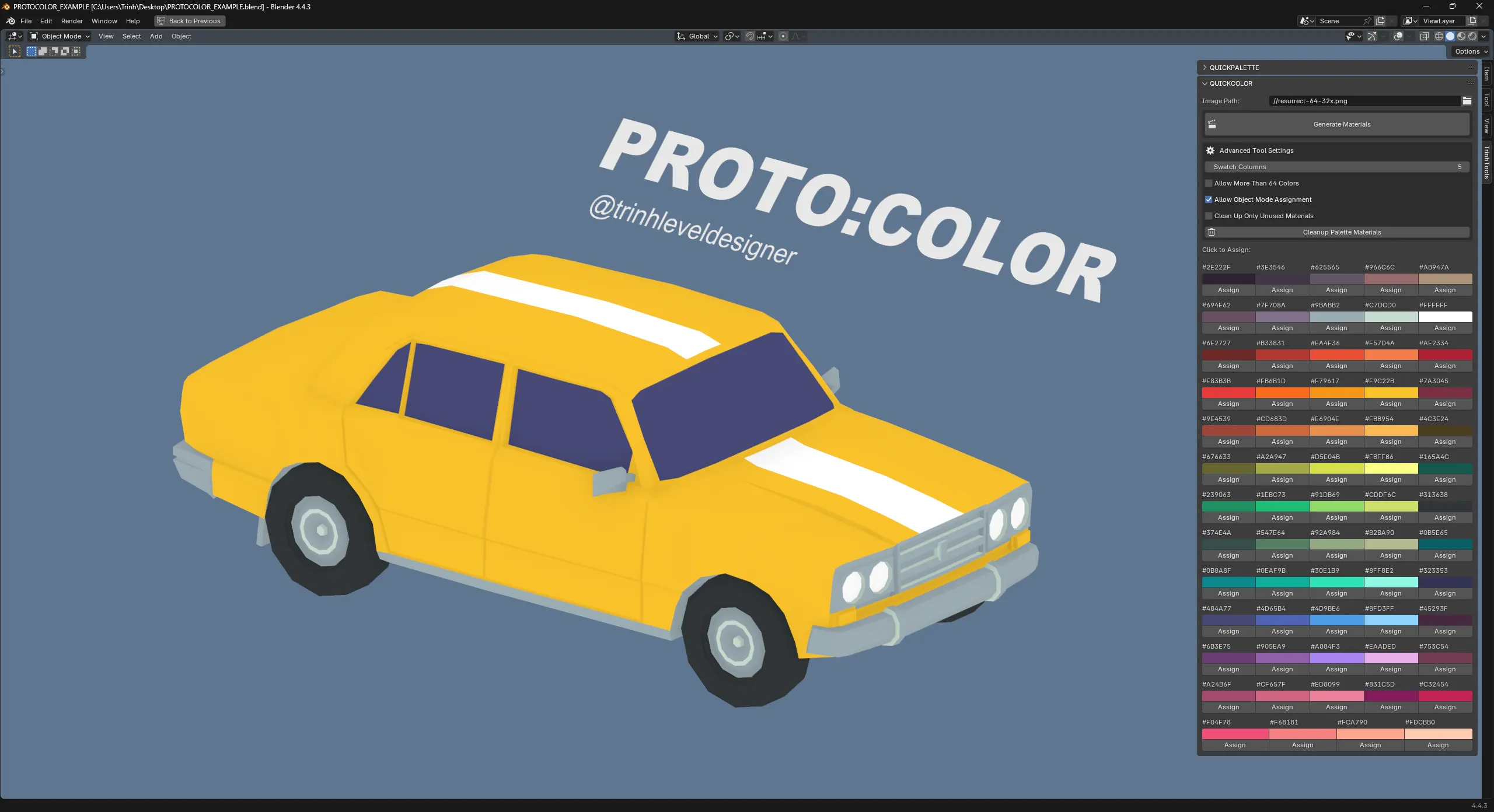
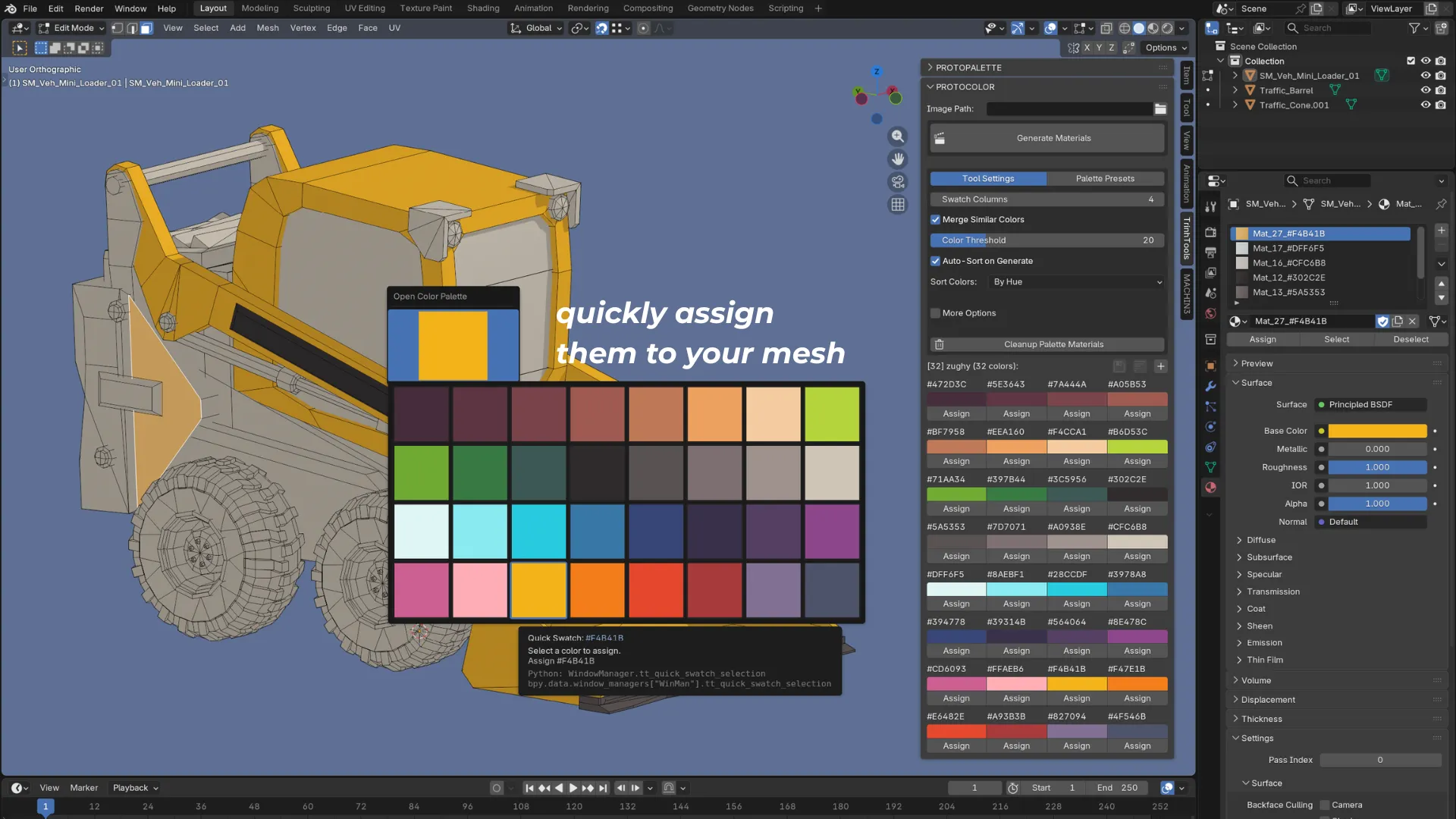
PROTO:COLOR turns a palette image or saved palette into reusable Blender materials, then makes those colors fast to assign through a panel and a hotkey-driven Quick Assign popup.
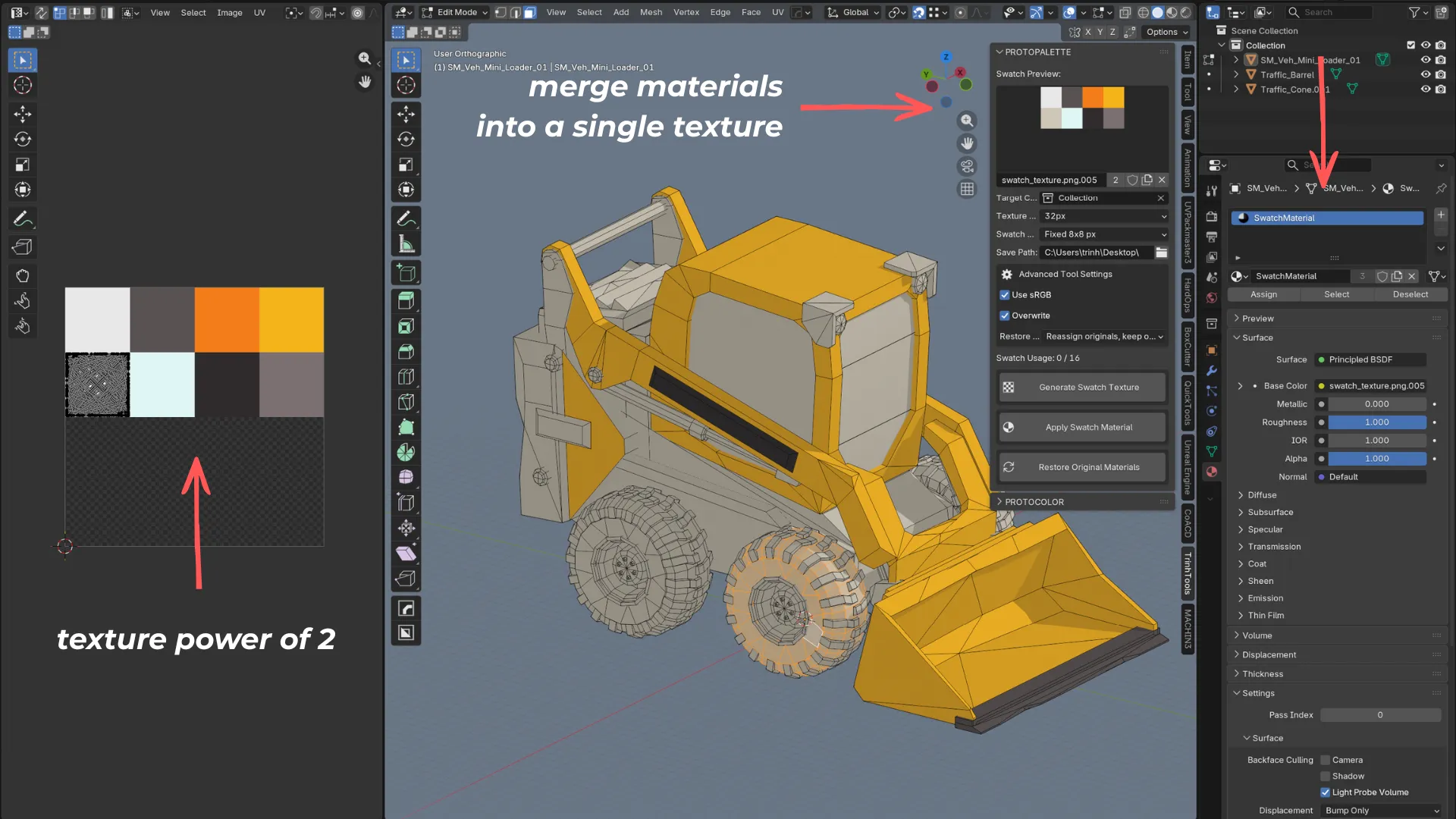
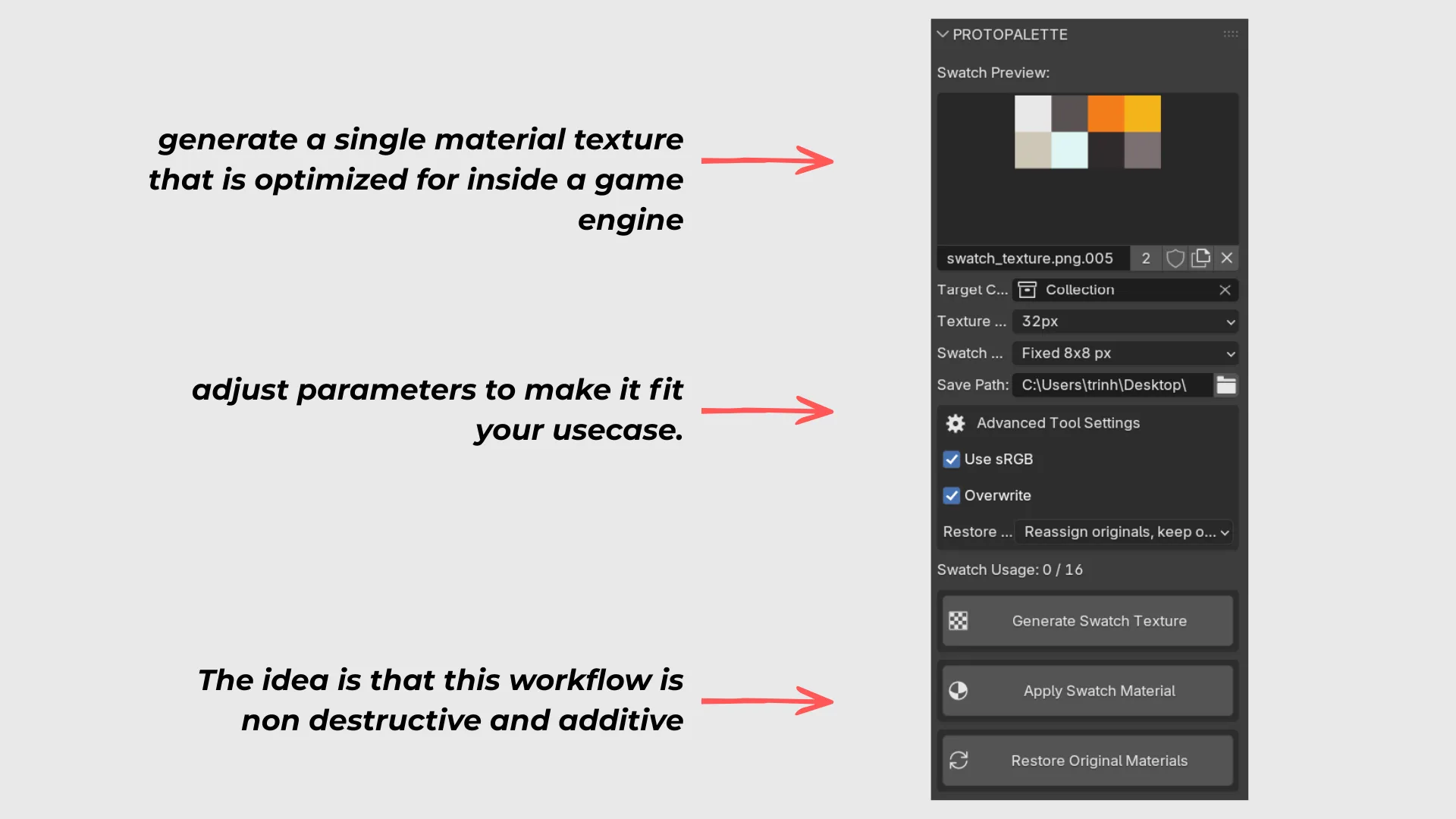
PROTO:PALETTE takes a collection of flat-color materials, packs the unique colors into a single swatch texture atlas, remaps UVs automatically, and gives the user a way to restore the original materials later.
Together they support a full palette workflow:
• build a palette quickly
• use it quickly inside the scene
• package it for export without rebuilding everything by hand
In Blender, color-driven workflows tend to break down in two places.
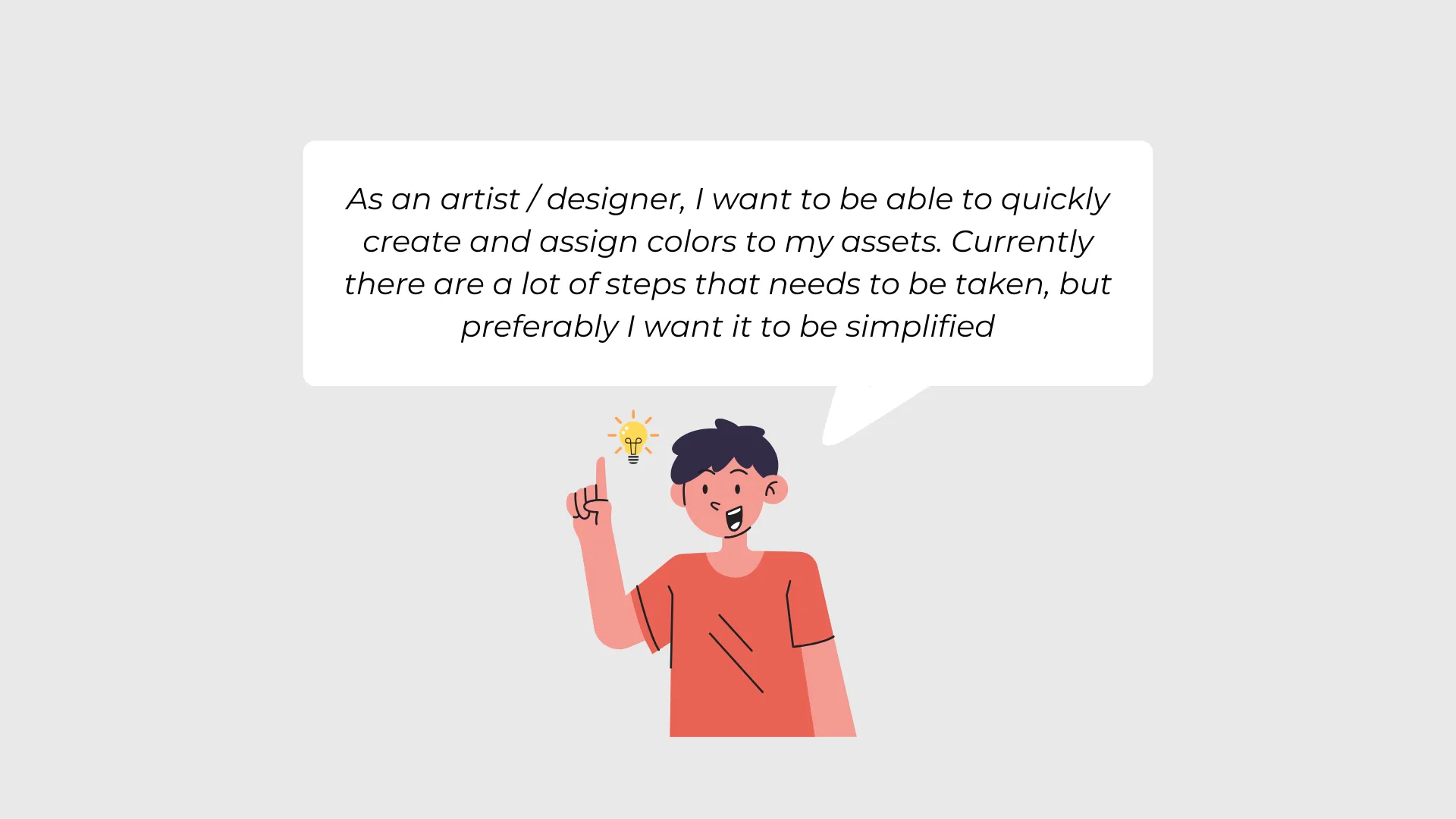
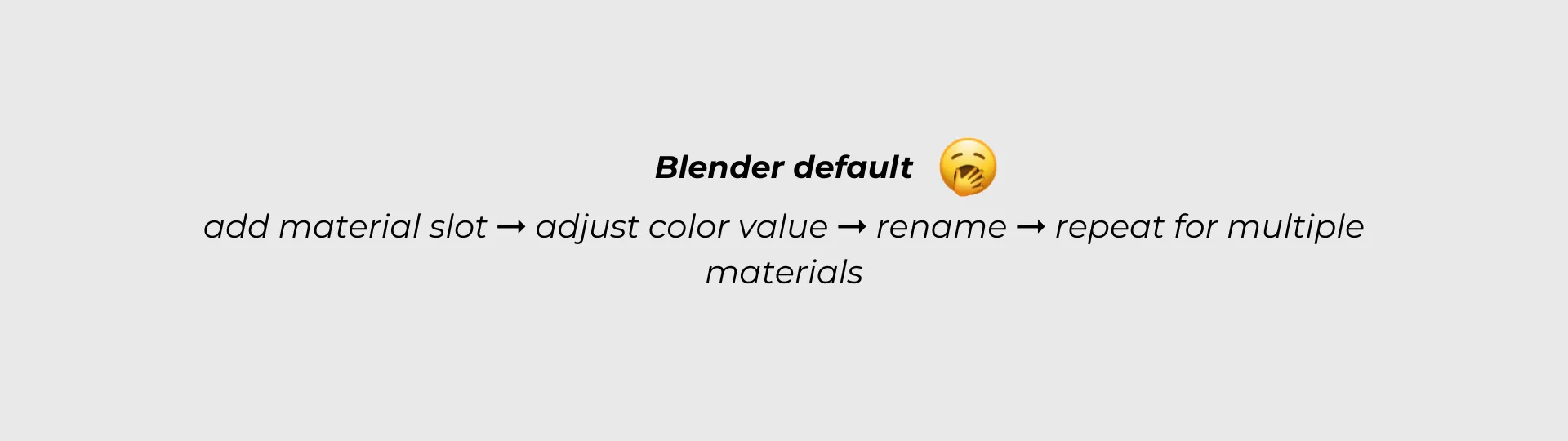
The first problem is authoring. Artists often sample colors manually, build materials one by one, rename them inconsistently, search long material lists, and repeat the same setup across scenes. That slows blockouts, breaks modeling flow, and makes palette changes more expensive than they should be.
The second problem is packaging. Once the scene is working, many artists want fewer materials and a simpler export path, especially for low-poly or game-ready assets. Doing that manually usually means building a texture atlas, unwrapping meshes, moving UVs into swatch cells, managing padding, and hoping the result is still easy to revise later.
That gap is what made the ecosystem direction important. The same user who wants faster palette setup usually also wants a cleaner way to ship or optimize the result.
The ecosystem is designed for concrete workflow groups rather than abstract personas:
• Level designers using color-coded materials for blockouts and spatial communication
• Stylized and low-poly artists working with limited palettes or flat-color materials
• Indie teams that want to use an unified workflow that is easy to teach & learn
It is a weaker fit for photoreal pipelines or scenes that only use a small number of materials once.
Workflow group
Typical context
Core goal
Main friction
Why the ecosystem fits
Level designers
Color-coded blockouts, grayboxes, and spatial communication
Apply semantic color quickly while the layout is still changing
Manual material creation and reassignment interrupt blockout flow
PROTO:COLOR makes the palette usable fast, and PROTO:PALETTE gives the same scene a cleaner export path later
Stylized and low-poly artists
Flat-color assets, limited palettes, and iterative lookdev
Keep a clear palette while revising assets and scenes quickly
Repeated material setup, palette drift, and manual atlas prep create overhead
PROTO:COLOR supports fast authoring and reuse, while PROTO:PALETTE turns the finished scene into one atlas and keeps the workflow reversible
Indie teams
Shared scenes, handoff, onboarding, and repeatable production rules
Use one workflow that is easy to teach, reuse, and standardize
Palette drift, naming inconsistency, and repeated cleanup make collaboration harder
The ecosystem creates a shared palette source before optimization and reduces friction during handoff or export prep
The product direction came from two sources: building against repeated workflow friction in Blender, and studying how artists currently solve similar problems in low-poly and texture-atlas tutorials.
Videos focused on material cost, texture atlases, single-texture scenes, unwrapping for atlases, and low-poly gradient workflows all pointed to the same issues:
• Too many manual steps before color becomes usable in the scene
• Too much time spent managing materials instead of shaping the asset or level
• Atlas workflows becoming slow because UV placement is still a manual job
• Fixed texture maps making later palette changes harder than they need to be
• Optimization often happening as a messy cleanup step instead of part of the design workflow
Those observations led to a few practical insights.
• The workflow problem is larger than material creation. There is an authoring stage and an export stage, and both need attention
• Speed at point of use matters as much as setup. That is why PROTO:COLOR includes Quick Assign, not just material generation
• Non-destructive behavior matters. Artists are more willing to optimize a scene if they know they can restore the original materials later
• UV management is one of the biggest barriers to atlas workflows. PROTO:PALETTE needed to remove that work, not just generate a texture
• Safe defaults matter. Limits, read-only bundled palettes, cleanup safeguards, restore modes, and overwrite controls all exist because workflow tools need to reduce mistakes as well as clicks
The product goals were clear from the start:
• Reduce the manual steps between a palette reference and a usable Blender scene
• Keep artists in the viewport while assigning and iterating on color
• Make palette-driven scenes easier to share, reuse, and standardize
• Remove the manual UV work from atlas-based optimization
• Keep the export path reversible so optimization does not become destructive
• Build a product ecosystem where one tool naturally leads to the next
The solution was to split the workflow into two connected products, each focused on a different stage of the same job.
PROTO:COLOR
PROTO:COLOR handles palette authoring and day-to-day scene use.
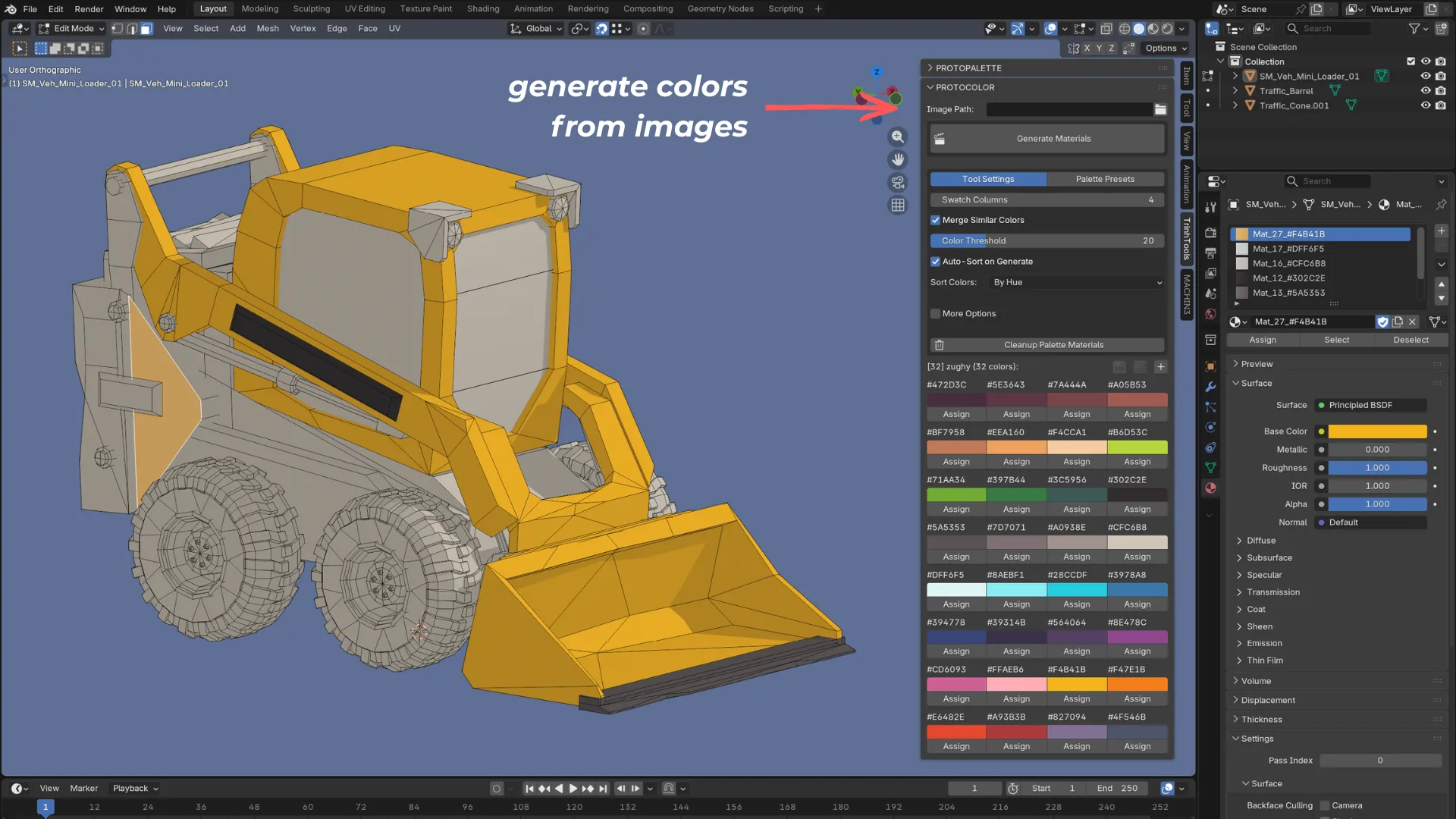
• It scans a palette image and creates named Blender materials from the extracted colors.
• It supports a default 64-color cap, optional near-duplicate merging, and sorting so messy source images do not overwhelm the user.
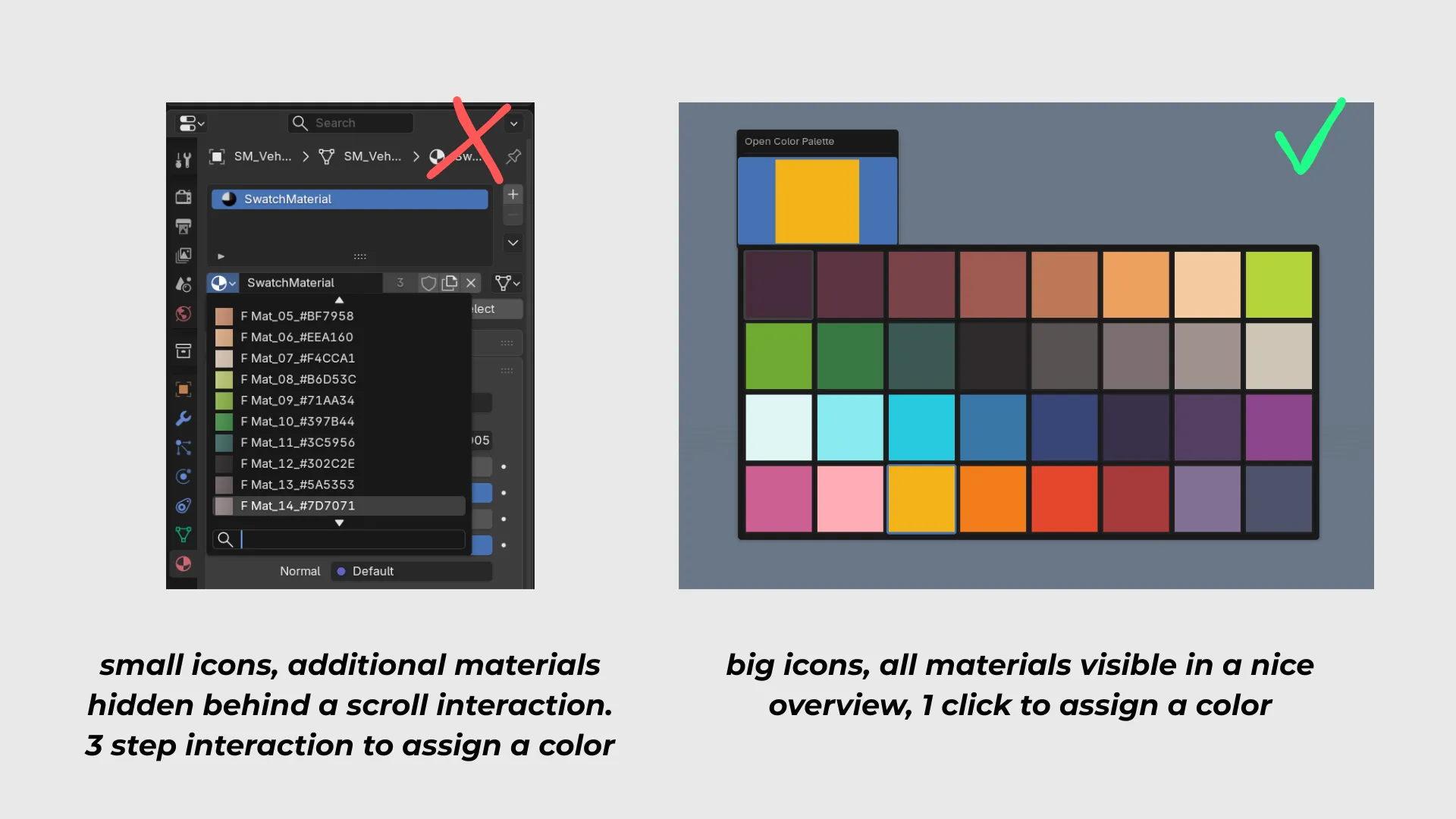
• It lets users assign colors in Edit Mode or Object Mode without hunting through Blender's material list.
• It adds a remappable Quick Assign popup so color application can happen directly from the viewport.
• It treats palettes as reusable assets through presets, import/export, and bundled built-in palettes.
• It adds guardrails such as locked swatches, read-only built-in palettes, cleanup controls, and hex-based color reapplication.
PROTO:PALETTE
PROTO:PALETTE handles consolidation and export.
• It scans a chosen collection for flat-color Principled BSDF materials and extracts the unique Base Color values.
• It sorts those colors and draws them into a single swatch texture atlas.
• It supports fixed swatch sizes or an auto-fit grid depending on the output need.
• It automatically unwraps the meshes with Smart Project and remaps each face into the correct swatch cell, including padding to avoid bleeding.
• It caches the original material name and RGB value per face so the conversion is reversible.
• It can apply one shared SwatchMaterial to the whole collection, then restore original materials later in either Replace or Reassign mode.
Why The Ecosystem Matters
The key product decision was not just automation. It was sequencing.
PROTO:COLOR solves palette setup and active color use. PROTO:PALETTE solves the moment when that same scene needs to be reduced to one texture and one material for export or optimization. Put together, the workflow becomes much cleaner:
1) Import or build a palette.
2) Use that palette quickly while modeling or blockout work is still moving.
3) Convert the finished flat-color scene into a single atlas without manually managing UV space.
4) Restore the original materials later if the palette changes.
That is the difference between two isolated utilities and a product ecosystem.
The two tools evolved in a way that reflects that pipeline.
PROTO:COLOR started with the core palette-to-material idea. Once that worked, the next UX issue became obvious: generating colors was not enough if assignment still felt slow. That led to the Quick Assign popup. After that came preset import/export and cleanup, because real workflows needed reuse and maintenance, not just generation. The latest pass focused on UX polish and safeguards: empty states, stronger validation, dirty-state handling, read-only built-ins, sorting, near-duplicate merging, and clearer defaults.
PROTO:PALETTE started from a narrower but deeper problem: how to turn a flat-color scene into one texture without making the process painful to reverse. The core version established the collection-to-atlas pipeline, UV remap, and restore workflow. Later refinement improved color ordering so the generated swatch texture is easier to inspect and reason about. The current panel also surfaces preview, swatch usage, overwrite control, colorspace handling, and restore behavior so the tool feels safer and easier to trust before the user commits.
Seen together, the iteration path is consistent. The ecosystem kept moving from raw capability toward smoother workflow decisions: faster use, safer defaults, and less rework.
The biggest impact is that the ecosystem removes two clusters of manual work: palette setup and atlas preparation.
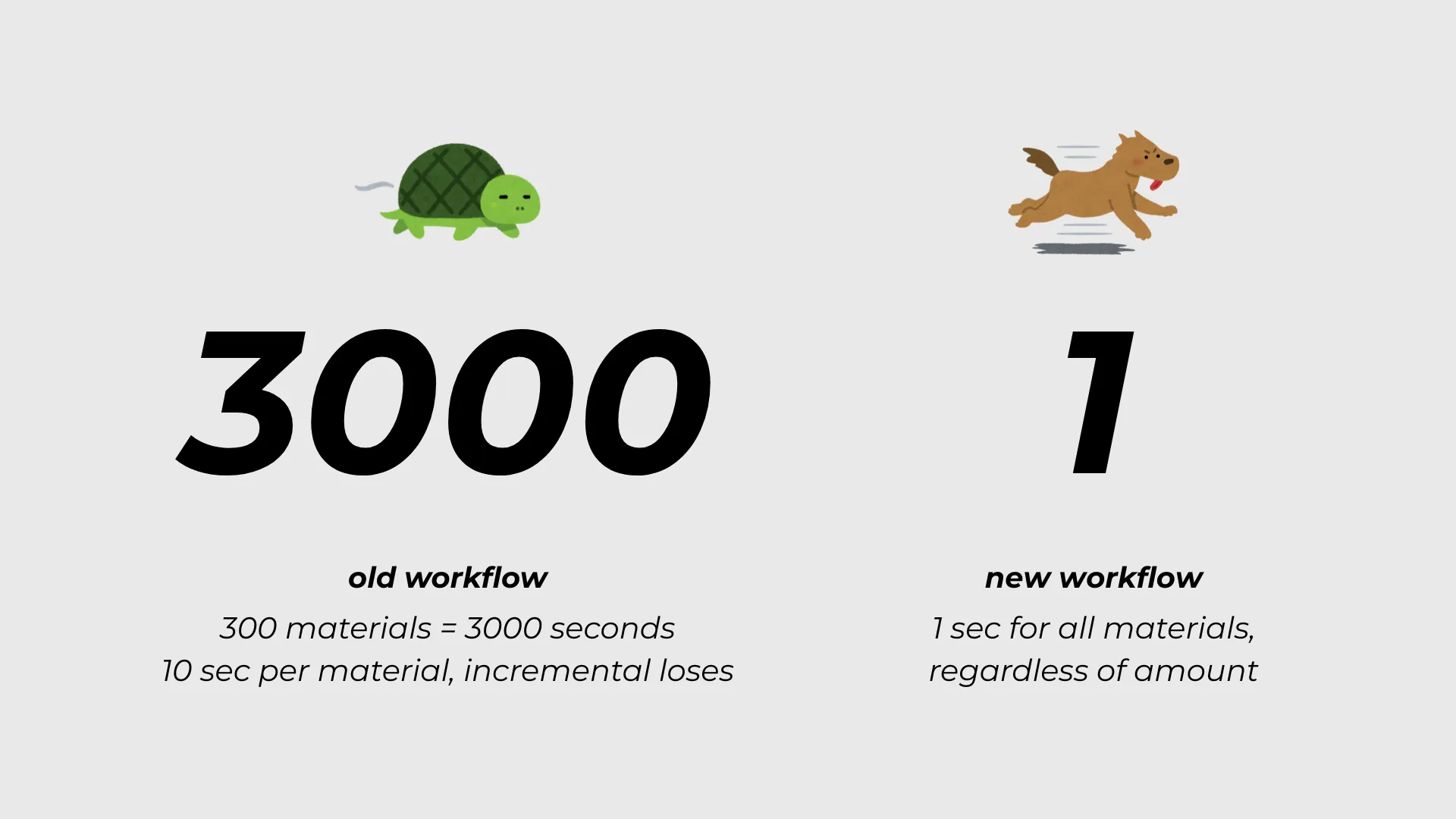
Based on the manual steps these tools replace, the time savings are substantial in the workflows they target.
Workflow
Manual Process
With ProtoTools Ecosystem
Typical Time Difference
Build 16 to 32 palette materials from a reference image
sample colors, create materials one by one, rename them, then start assigning
generate a usable palette directly from the image and assign immediately
often reduced from roughly a few minutes to about 1-3 seconds. When adding more colors, you get incremental gains.
Recolor faces during blockout or stylized lookdev
select the face in edit mode and go through the long list of materials with small thumbnails
assign through swatches or Quick Assign without leaving the viewport. Available materials in a nice overview
saves small chunks constantly across the whole session
Convert a flat-color scene into one texture atlas
build atlas manually, unwrap, place UVs, manage spacing, then test the result
generate swatch texture, remap UVs automatically, and apply one shared material
often reduced from roughly 20-60 minutes to a few minutes depending on scene size
Revise color choices after optimization
repaint or rebuild a fixed texture workflow, or manually reconstruct original materials. workflow is destructive
restore original materials, edit, and regenerate the atlas. focus on non-destructive workflow
avoids a large amount of repeated cleanup on every revision
The quality-of-life gain is just as important as the raw time savings. Artists can move from reference palette to usable scene faster, and they can move from usable scene to export-ready atlas with much less friction and much less fear of breaking their setup.
It is all about making the workflow seamless and easier, so that users can spend more time being creative than technical.
The business value is stronger because this is an ecosystem rather than a one-off utility.
PROTO:COLOR solves an earlier-stage problem: getting a palette into Blender, using it quickly, and keeping color decisions organized. PROTO:PALETTE solves a later-stage problem: reducing material overhead and preparing the same palette-driven scene for export. That creates a more complete product story:
• build the palette
• use the palette
• ship the palette
That matters for users because the tools share the same audience, the same visual logic, and the same pain points. It also matters commercially because each product strengthens the case for the other. Someone who finds value in fast palette creation is a strong candidate for atlas packing later. Someone who needs atlas packing is more likely to care about cleaner palette setup earlier in the pipeline.
This also makes the ProtoTools direction easier to understand from the outside. The tools are not random Blender add-ons. They are connected workflow products for palette-driven scene creation, optimization, and handoff.
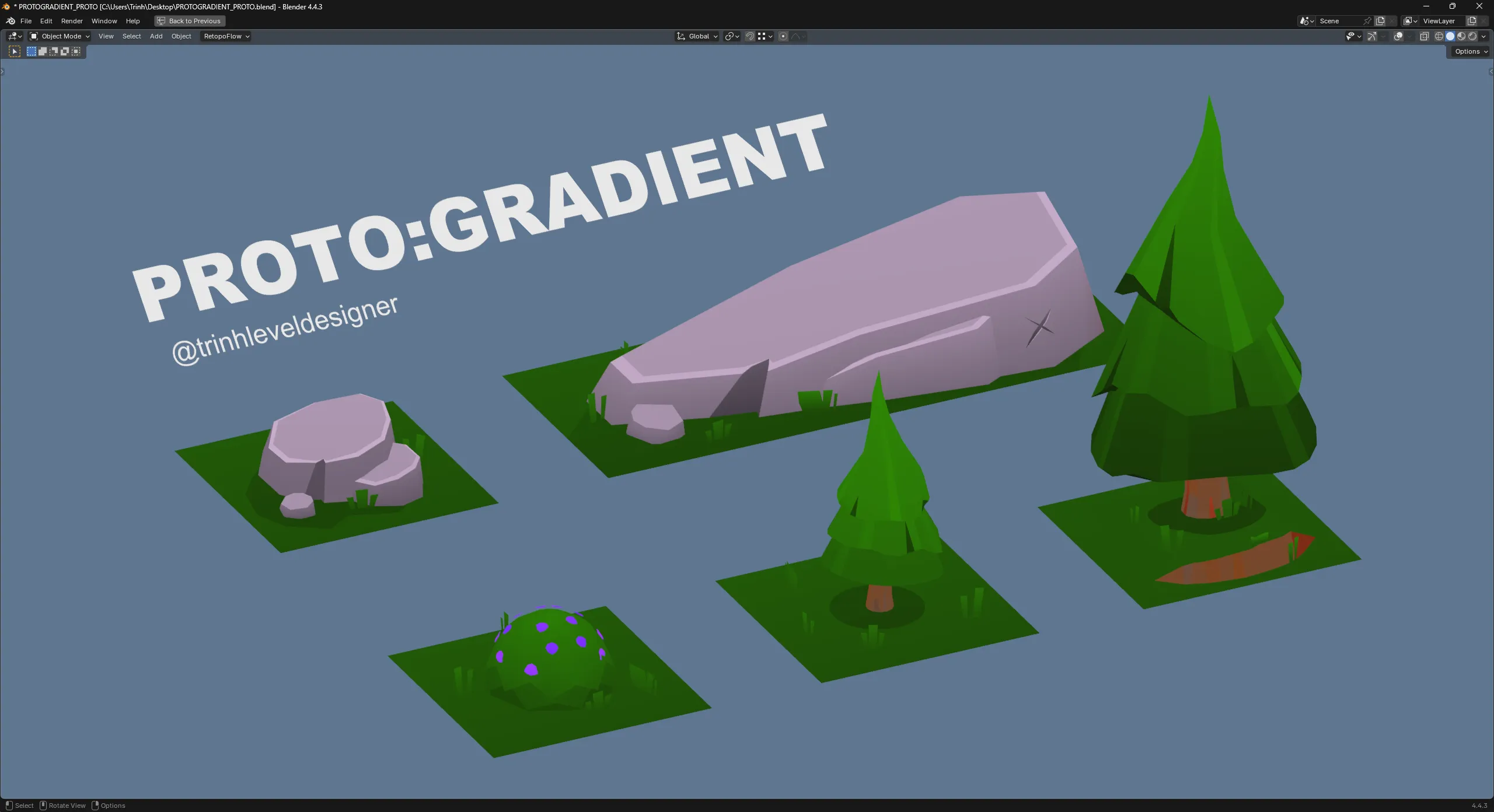
PROTO:GRADIENT: A new plugin is in the making that focuses on gradients. This will allow users to generate gradients between two colors, which will result into some cool effects that would make things feel more premium. For the users that want a distinct artstyle that is more than just a flat color.
The strongest UX decision was treating the workflow as a pipeline instead of a single task. Palette creation and atlas packing are usually handled as separate chores, but they are part of the same user journey.
The second major lesson is that automation is not enough on its own. The tools became more useful when they also added guardrails: locked swatches, read-only built-ins, overwrite controls, restore modes, cleanup behavior, and clearer defaults.
The third takeaway is that non-destructive workflow is a major product advantage. PROTO:PALETTE is more valuable because it does not force artists to choose between optimization and flexibility.
Taken together, PROTO:COLOR and PROTO:PALETTE show a consistent product design direction: remove repetitive setup, keep users moving, and make palette-driven work easier from the first color choice to the final export.